

Lyrics
Line-by-line synced lyrics, reading mode, and multi-source lyric retrieval.
Two modes
The lyrics view switches automatically based on whether timing exists:
- Synced: aligned to playback, current line highlighted, auto-scroll. Tap a line to jump there; drag up or down to browse (it resumes following the current position after a moment). Gradient masks fade the top and bottom edges. Animations are driven by a dedicated motion engine, with a fullscreen background that breathes through the artwork's color. Honors the system Reduce Motion setting.
- Reading: just plain-text lyrics, no timing. Good when you want to read without the scroll.
Where lyrics come from
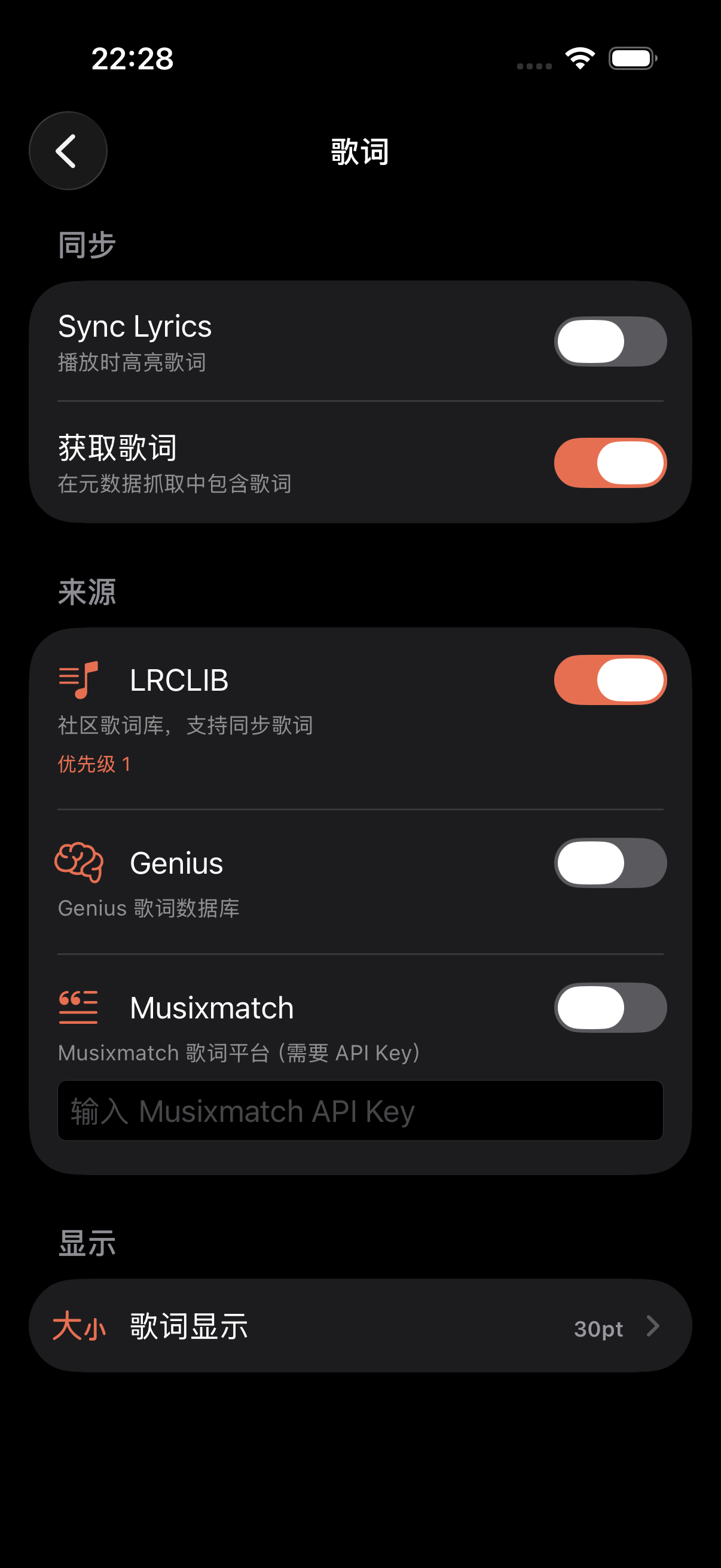
TuneSync tries lyrics sources in this order and stops at the first hit:
| LRCLIB | LRCLIB — open synced-lyrics database. Exact match first (artist + title + duration), then a fuzzy search. The most common source; free, no key. |
| Genius | Genius — found by search, then parsed from the page HTML. Usually plain text, may need timing generated. |
| Musixmatch | Musixmatch — comprehensive, but needs your own API key (set under Settings → Metadata & Lyrics). |
| Local sidecar | a .lrc or .txt beside the audio file — lyrics that came with your import |
| Remote sidecar | a .lrc / .txt beside the audio on the server, pulled over WebDAV |
Import LRC
From the player's top menu, pick Import LRC and choose a .lrc file. It reads the timing tags and applies immediately — that track uses this lyrics file from now on. You can also import plain-text .txt, but that only enters reading mode.
Generate synced lyrics
Only have plain text and want line sync? Pick Generate Synced Lyrics from the top menu. TuneSync listens on-device for when the vocal happens in the song, then aligns it with the text. It tells you its confidence along the way, and the result is stored on the track so it's not recomputed.
About “confidence”
AI-aligned lyrics include a confidence score (0–100%). When it is low (for example, below 60%) a warning appears and you can retry. Confidence depends on whether a clear vocal is present and how well the text lines map to the detected timing. If the result is unsatisfactory, edit the LRC and re-import to overwrite.
Lyrics display
In Settings you can tweak how lyrics look:
- Font size — bigger to read easily, smaller to fit more lines on screen
- Line spacing — how much room between lines
- Motion — honors the system Reduce Motion setting; on means less scrolling animation