Player
Full-screen player, mini player, queue, and playback controls.
Three modes
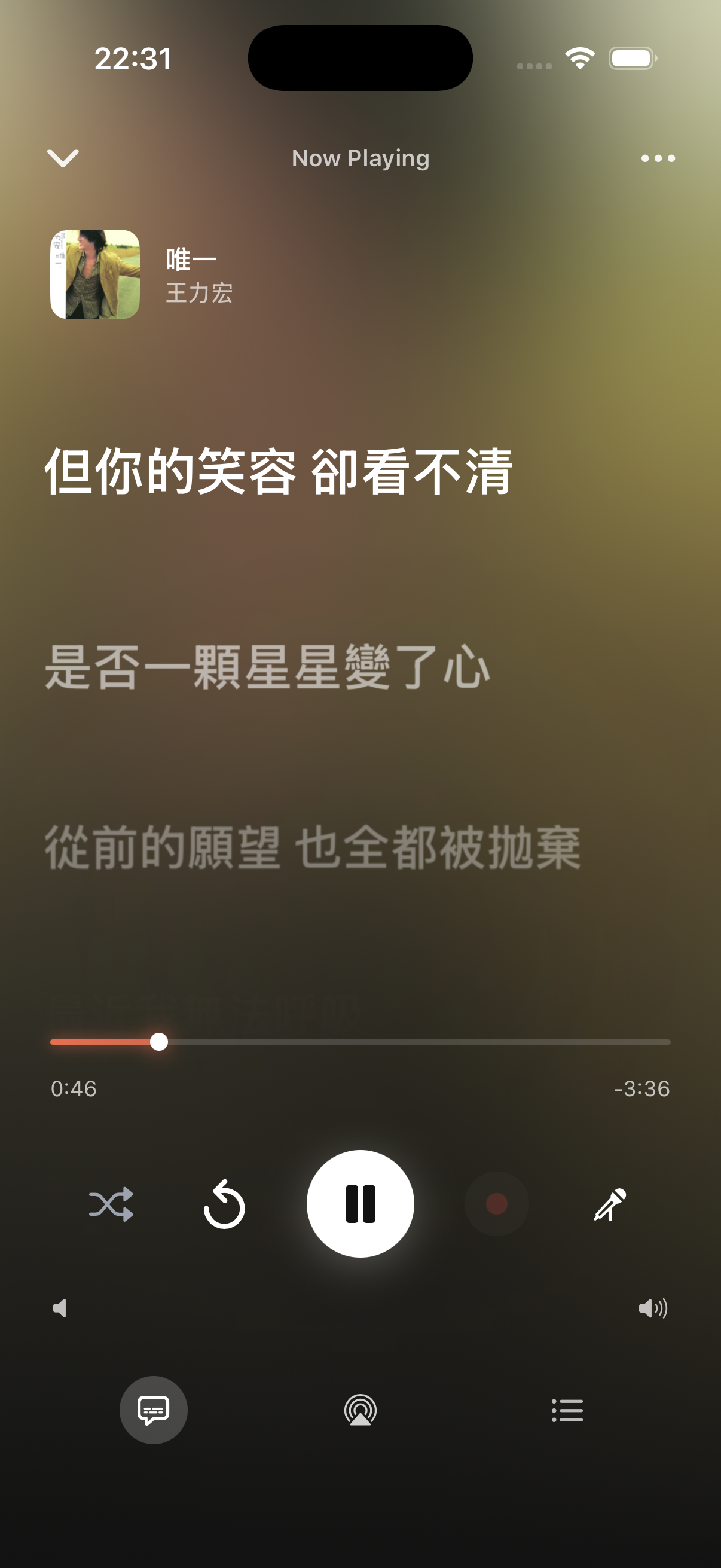
The full-screen player switches between three views at the bottom — tap to change:
- Standard — big artwork, track title and artist, scrubber, playback controls. The background gradient is pulled from the artwork, so it's different for every track.
- Lyrics — scroll line by line in time with the song, current line highlighted. Tracks without timing fall back to reading mode (plain text).
- Queue — view and reorder upcoming tracks.
Playback controls
The control area has:
- Play / pause / previous / next
- Drag the scrubber to any second — let go to seek
- Shuffle and repeat (off / list / single track)
- Playback speed (0.75x / 1x / 1.25x / 1.5x / 2x) — useful for practicing a song or skimming
- AirPlay to a HomePod, Apple TV, or other AirPlay device
Top menu
The full-screen player's top menu has:
- Import LRC — pick a lyrics file, reads the timing and applies instantly
- Search lyrics — from LRCLIB / Genius / Musixmatch
- Generate synced lyrics — when you only have plain text, let AI figure out the timing on-device
- Search metadata — find artwork and release info for the current track
- AI DJ — let AI queue songs based on your taste
- Sleep timer — auto-stops after 15 min to 1 hour
Play queue
The queue lists upcoming tracks. Tap a track to play it now, swipe to remove, or clear all (it asks for confirmation). When empty, it prompts you to add tracks from the library. Adding a track can be set to play next or append to the end.
Background and lock screen
TuneSync declares a background audio entitlement, so playback continues on the lock screen and in the background. The lock screen, Control Center, and Dynamic Island all control playback and show lyrics — no need to switch back to the app.